How the displays work
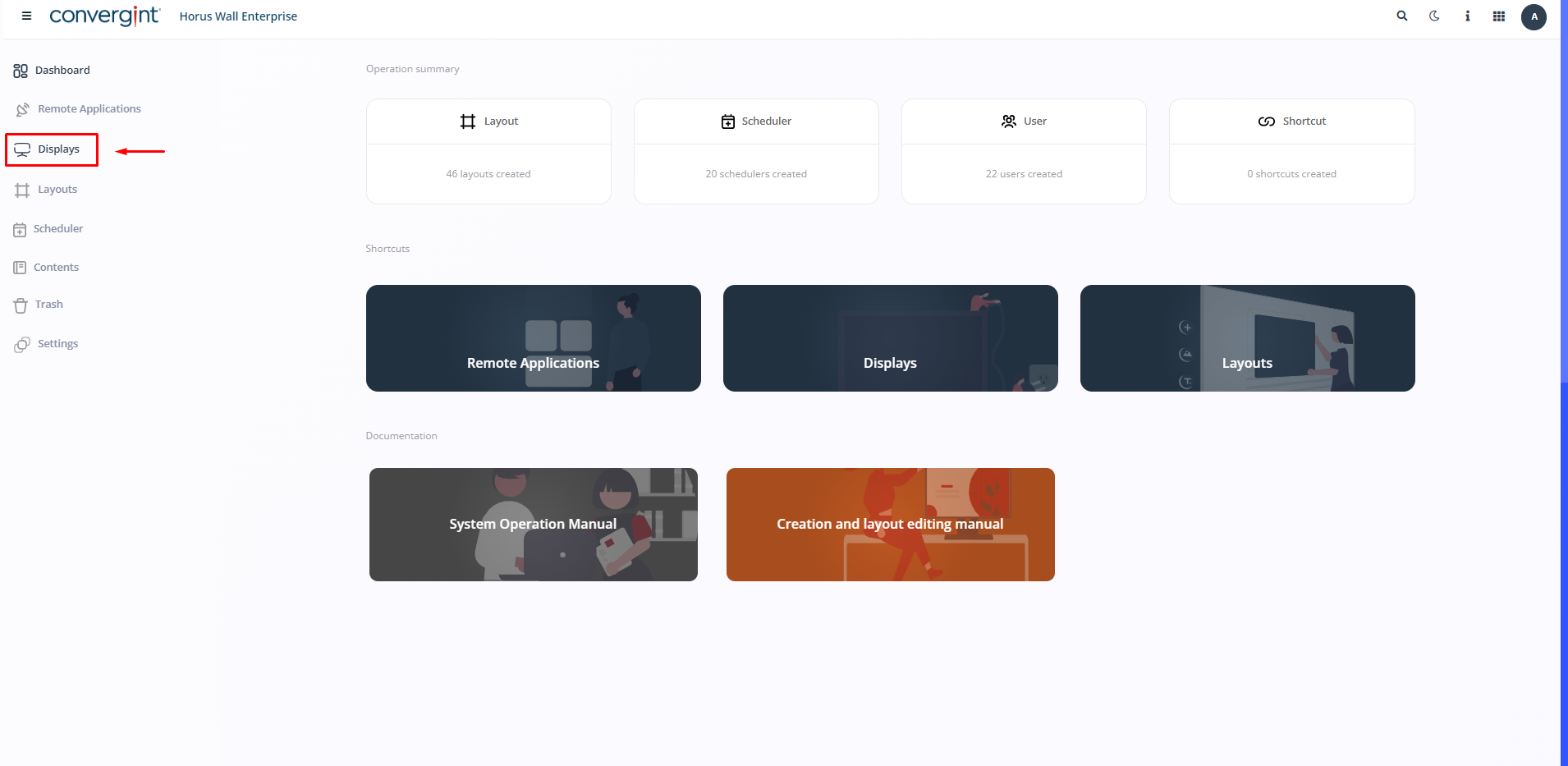
The first step is to access the “Displays” tab to start the full procedure.
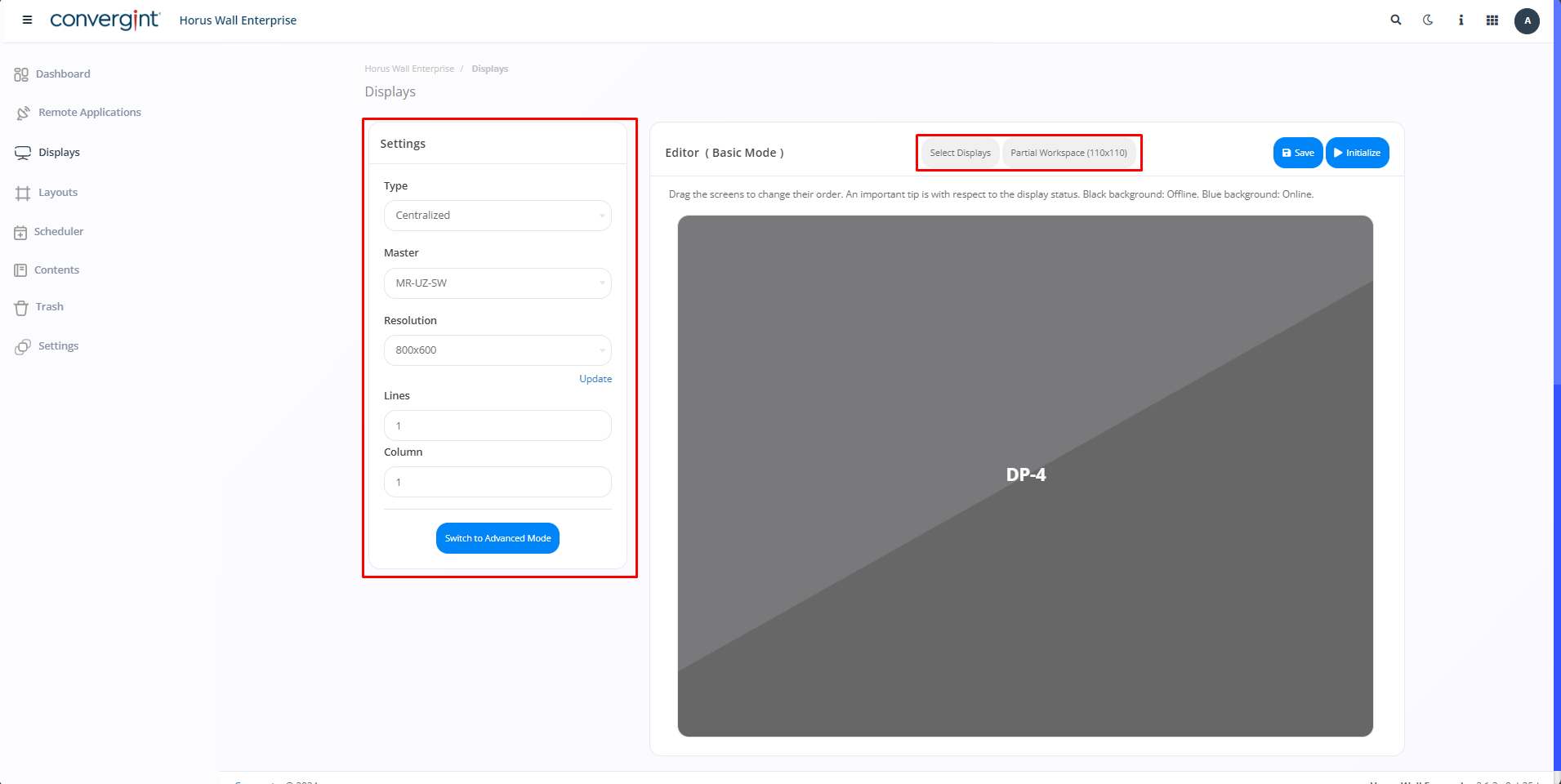
Then configure the functions you prefer and click on the options in the center of the screen.
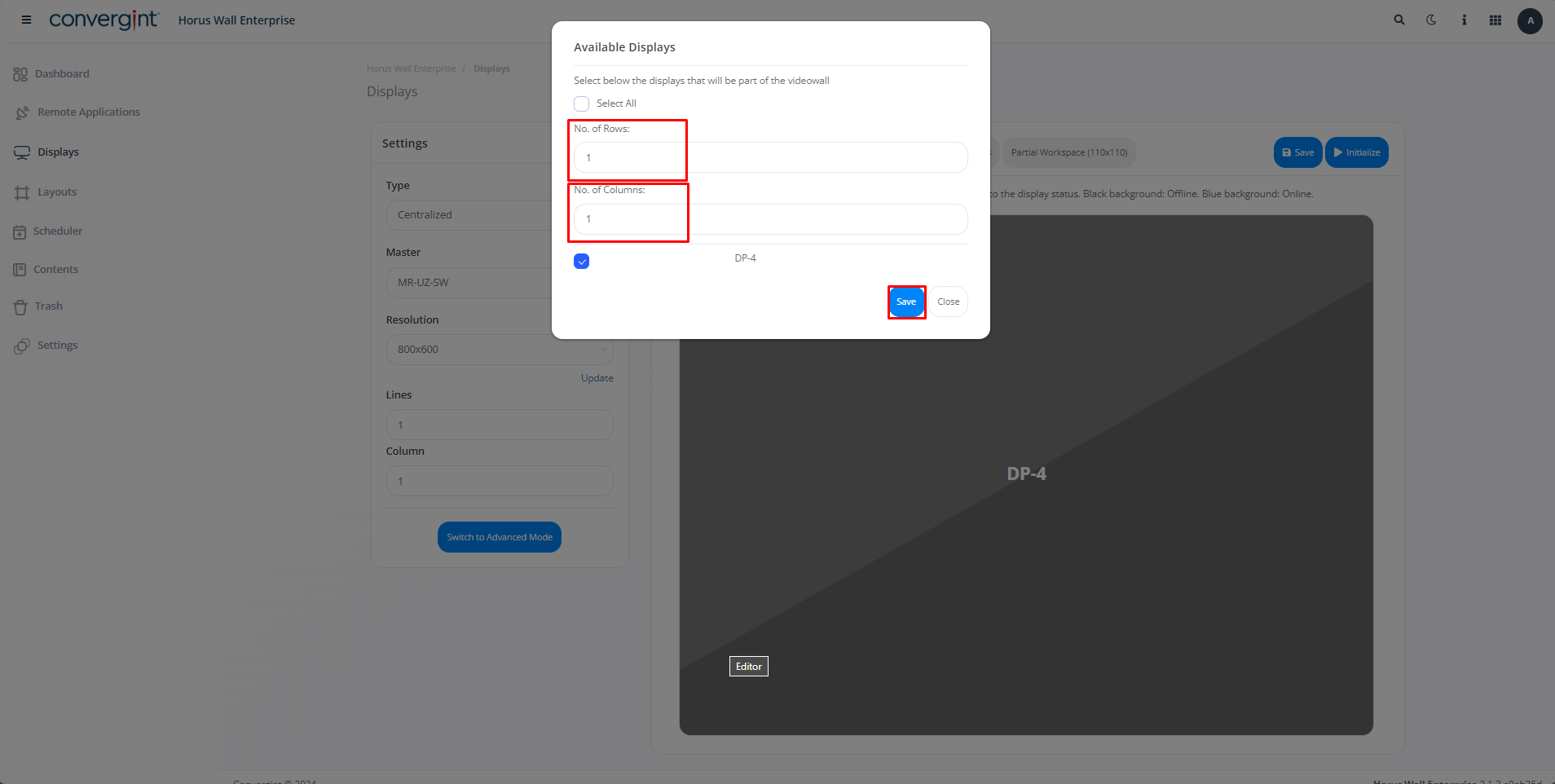
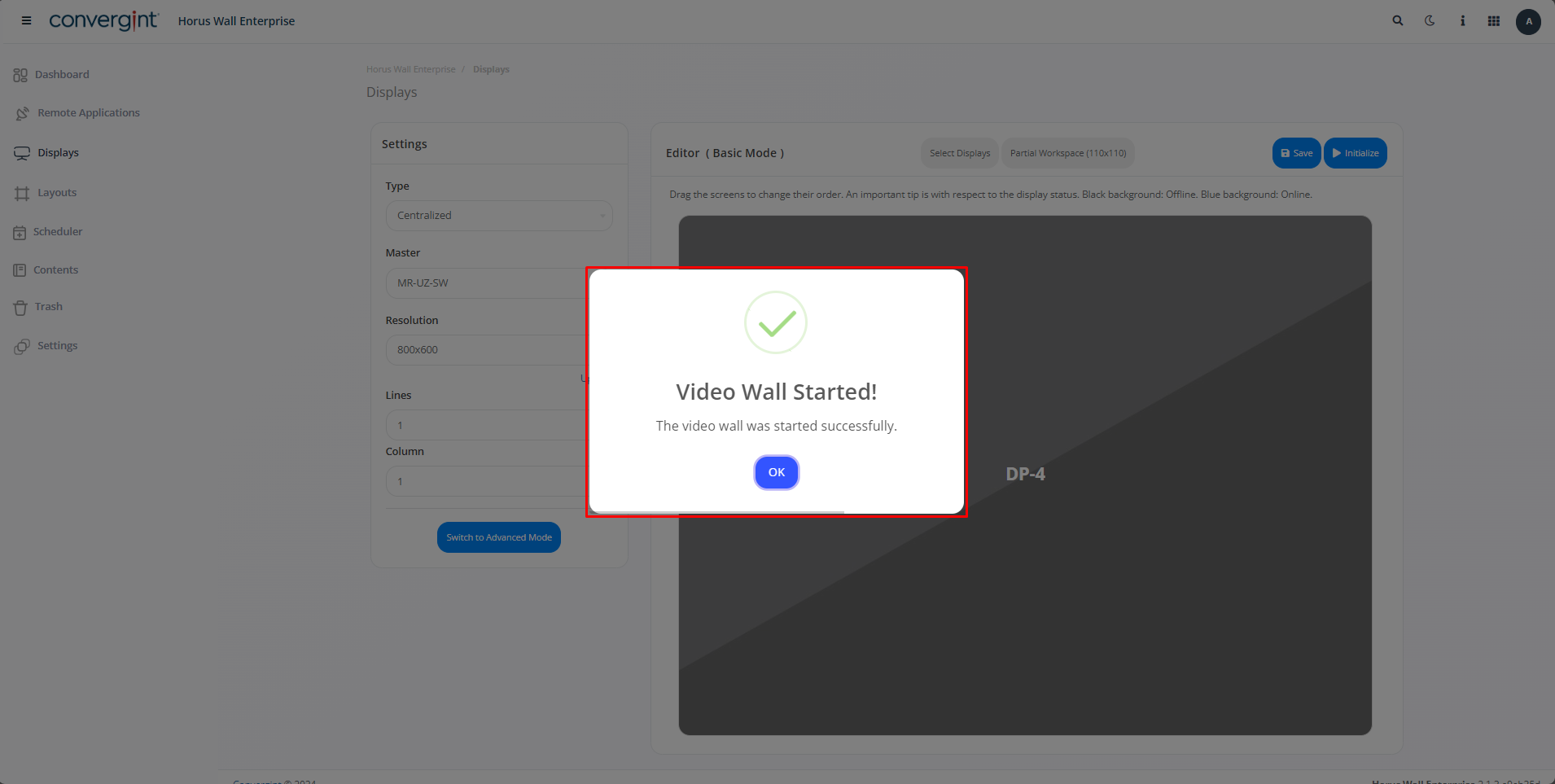
Then, by clicking on “Select Displays” you can choose your favorite functions displayed on the screen, after which click on “Save”.
After following all these procedures, click on “Initialize” to start the Video Wall.
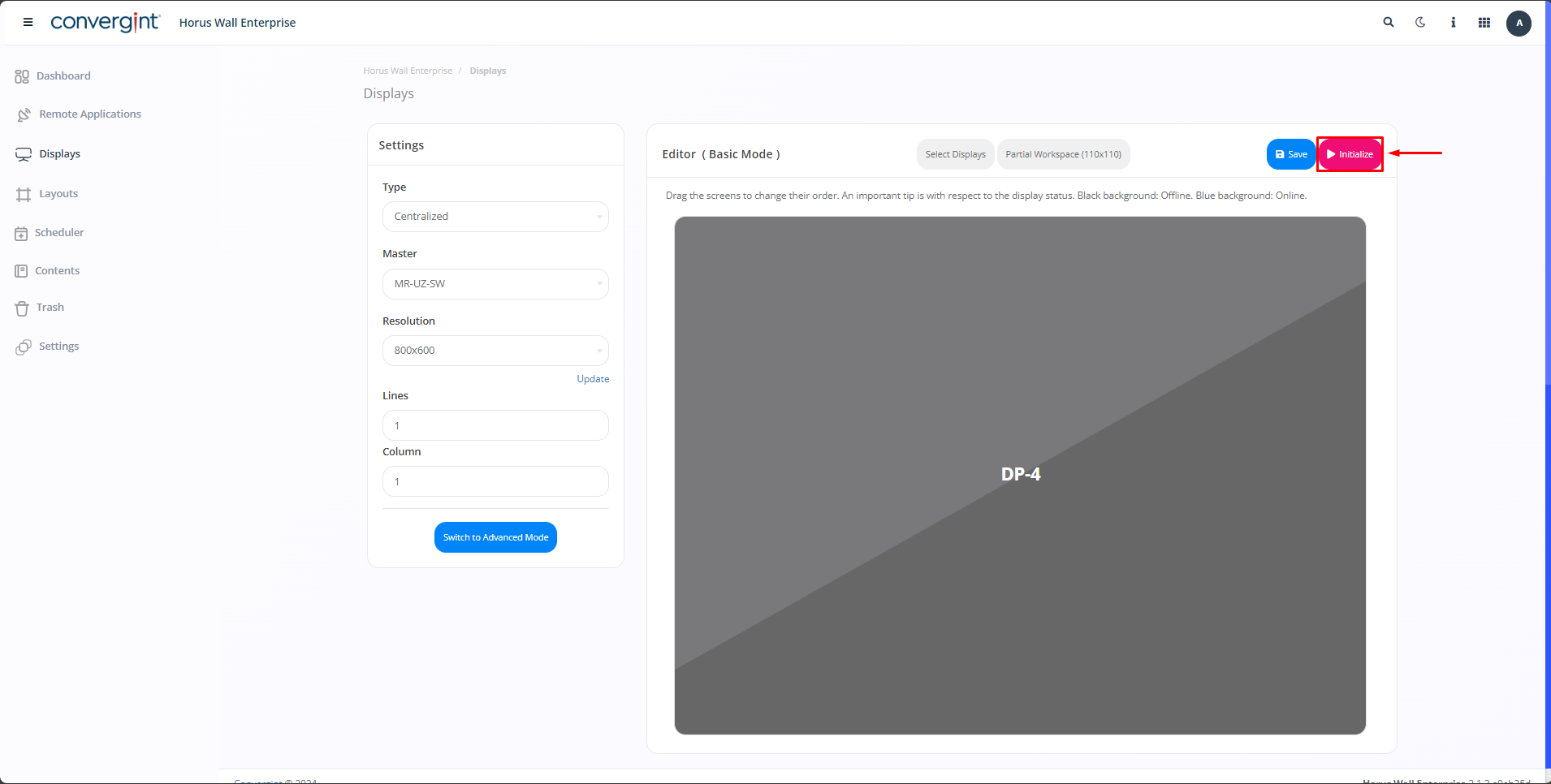
That's it, you've started your Video Wall with the functions of your choice selected.
Observation.: You need to be connected to the Remote App