Inactivation of Users
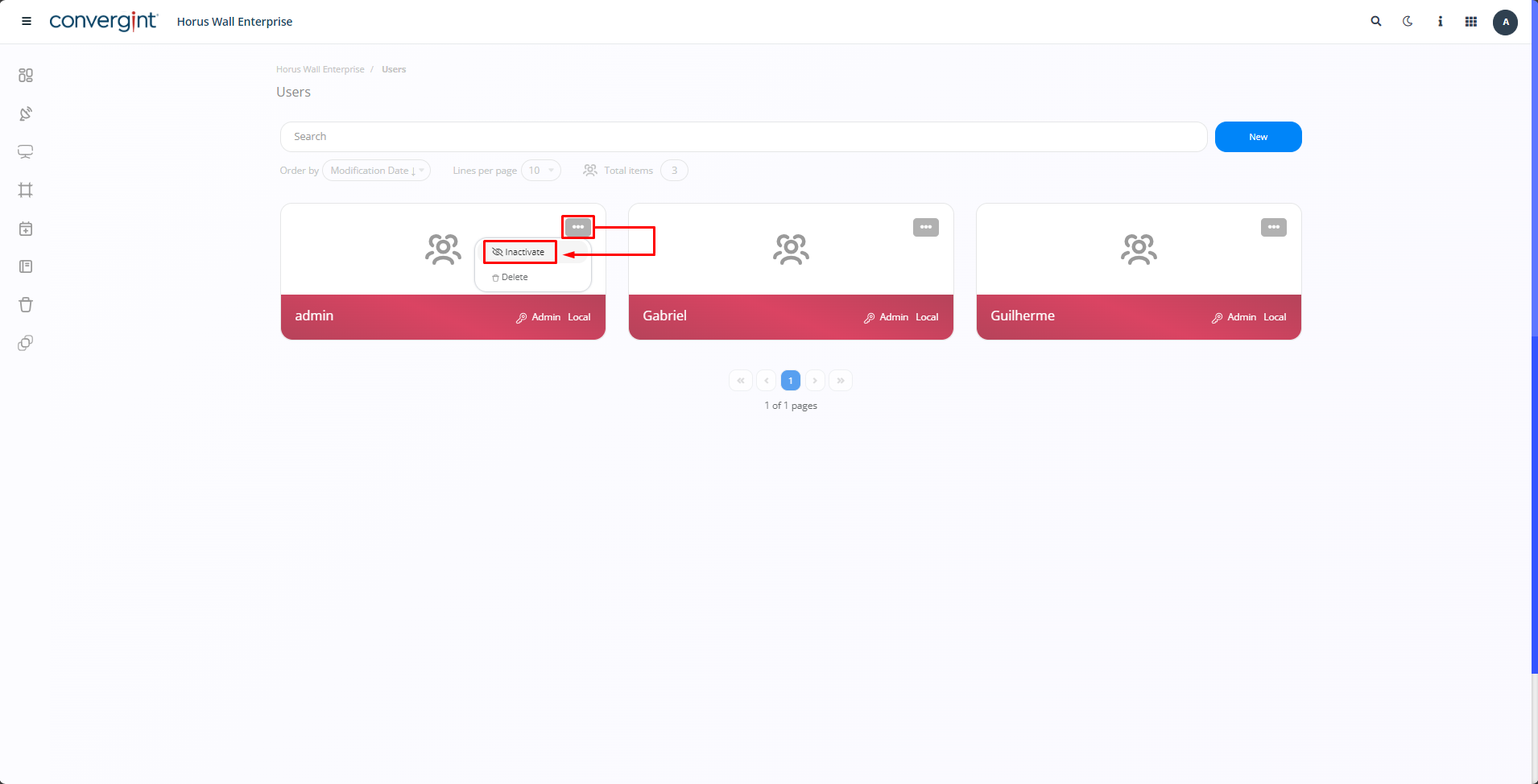
To deactivate a user, you need to access the "Users" tab and click on the three dots next to the user you want to deactivate. Then, click on "Inactivate".
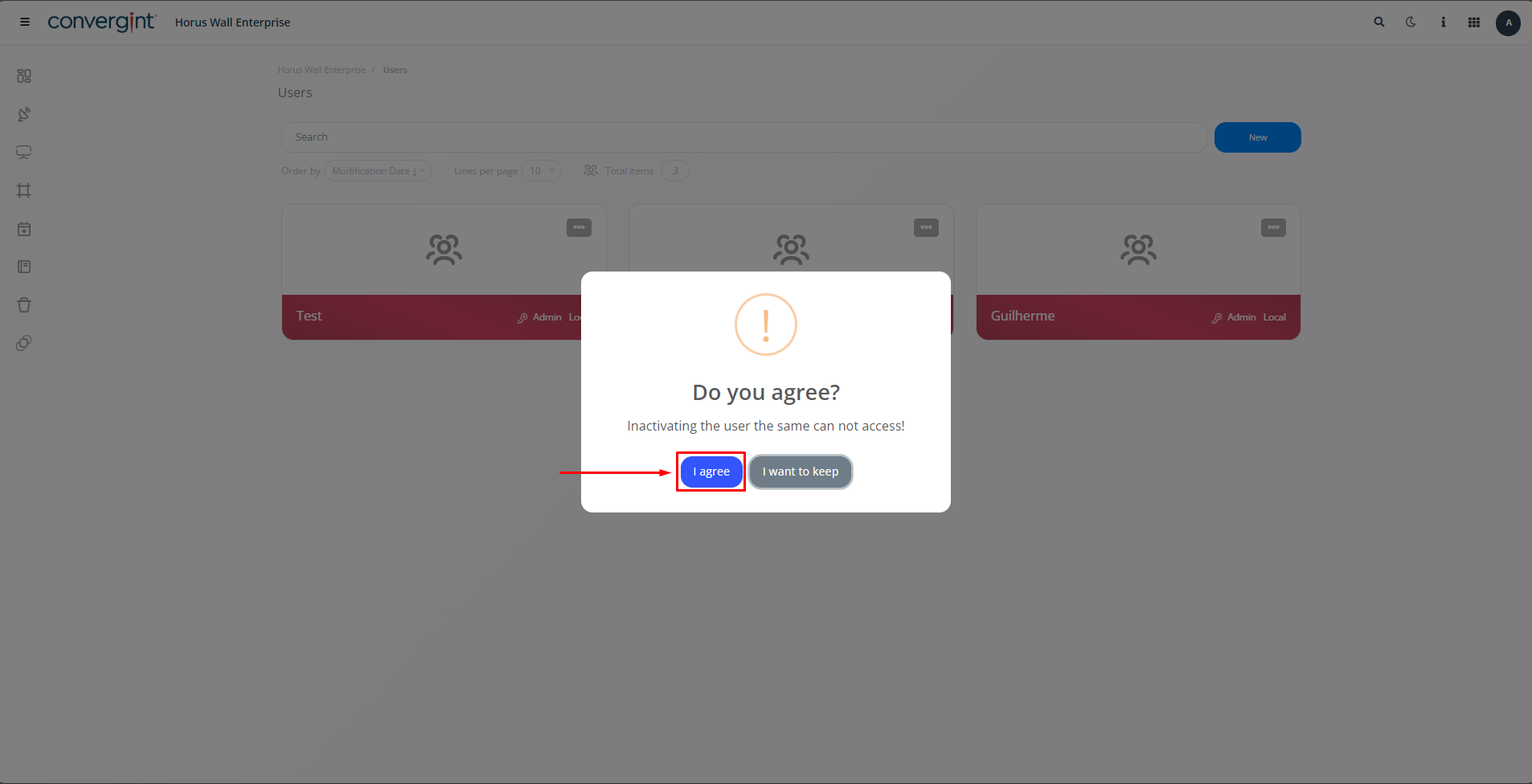
After selecting the option, a pop-up will appear asking for confirmation before proceeding with the user's deactivation. Then, click on "I Agree" (highlighted).
By clicking "I Agree," the user's profile will be deactivated.
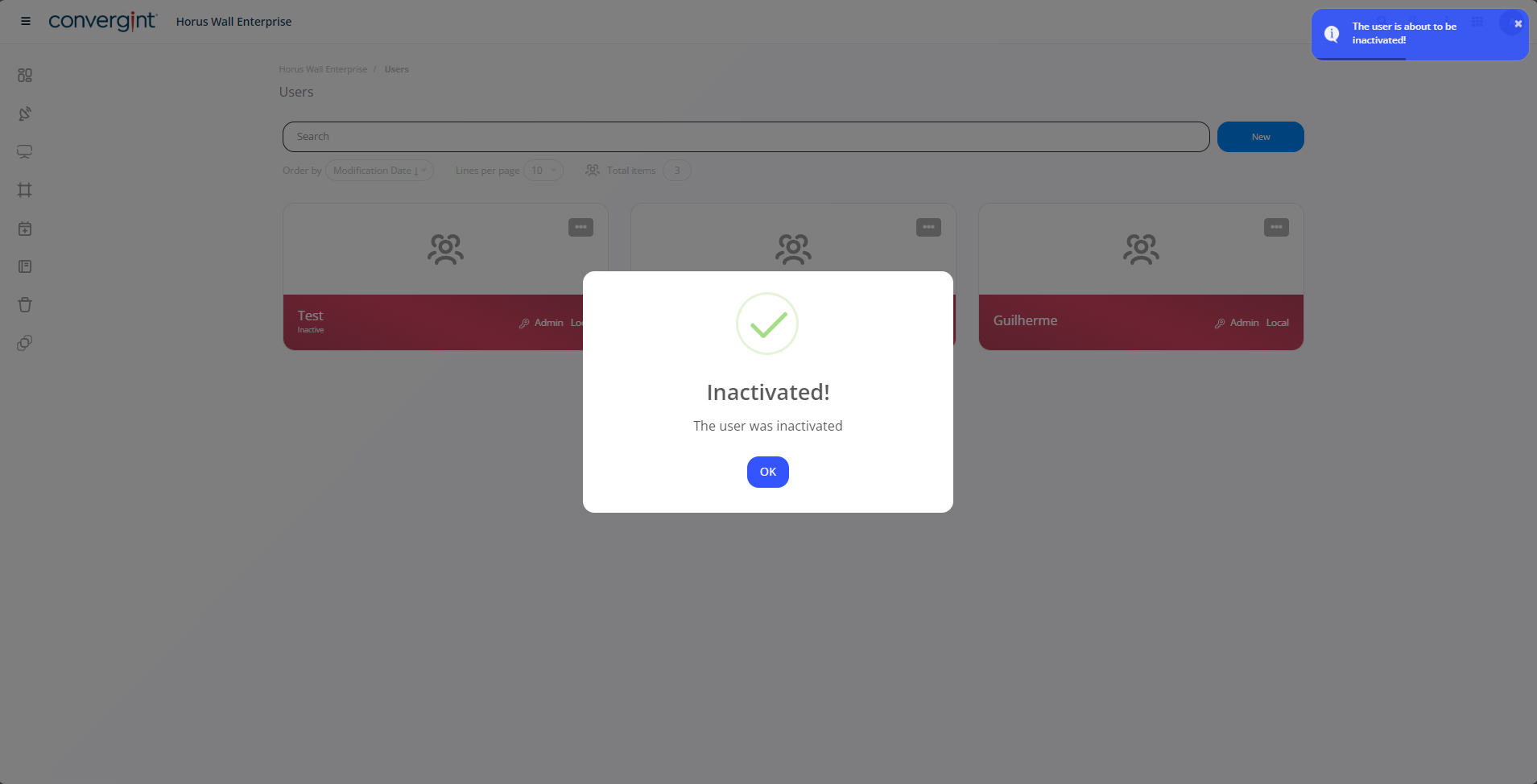
Note: If you wish to reactivate the user, simply follow the same procedure as before.