Adding New Users
To add new users, you need to access the "Users" tab. This step will allow you to create a user with specific information according to your preferences.
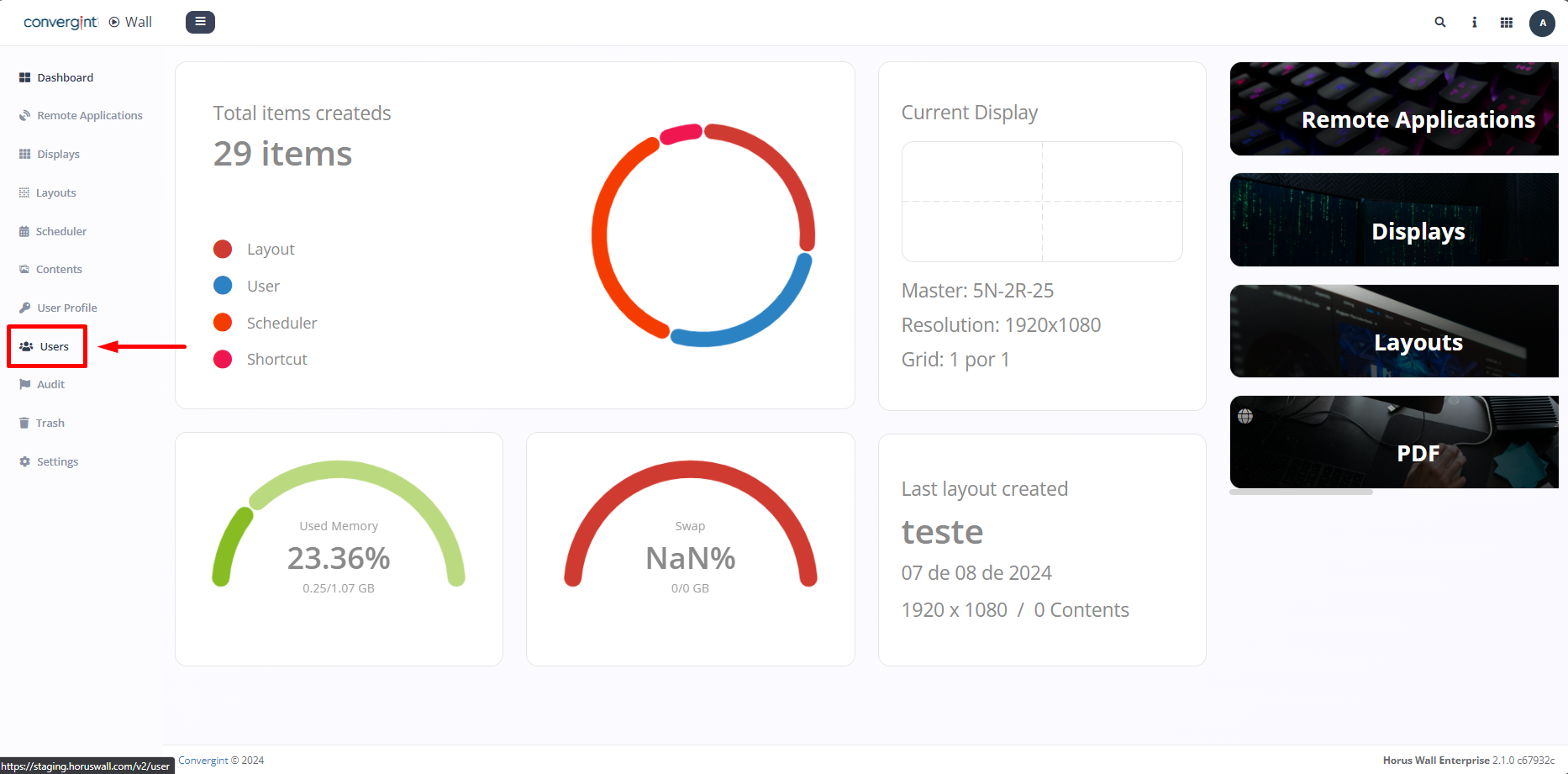
By clicking on "Users," the system will open the screen that allows you to start the registration process. To register, click on "New." This will enable you to create a new user.
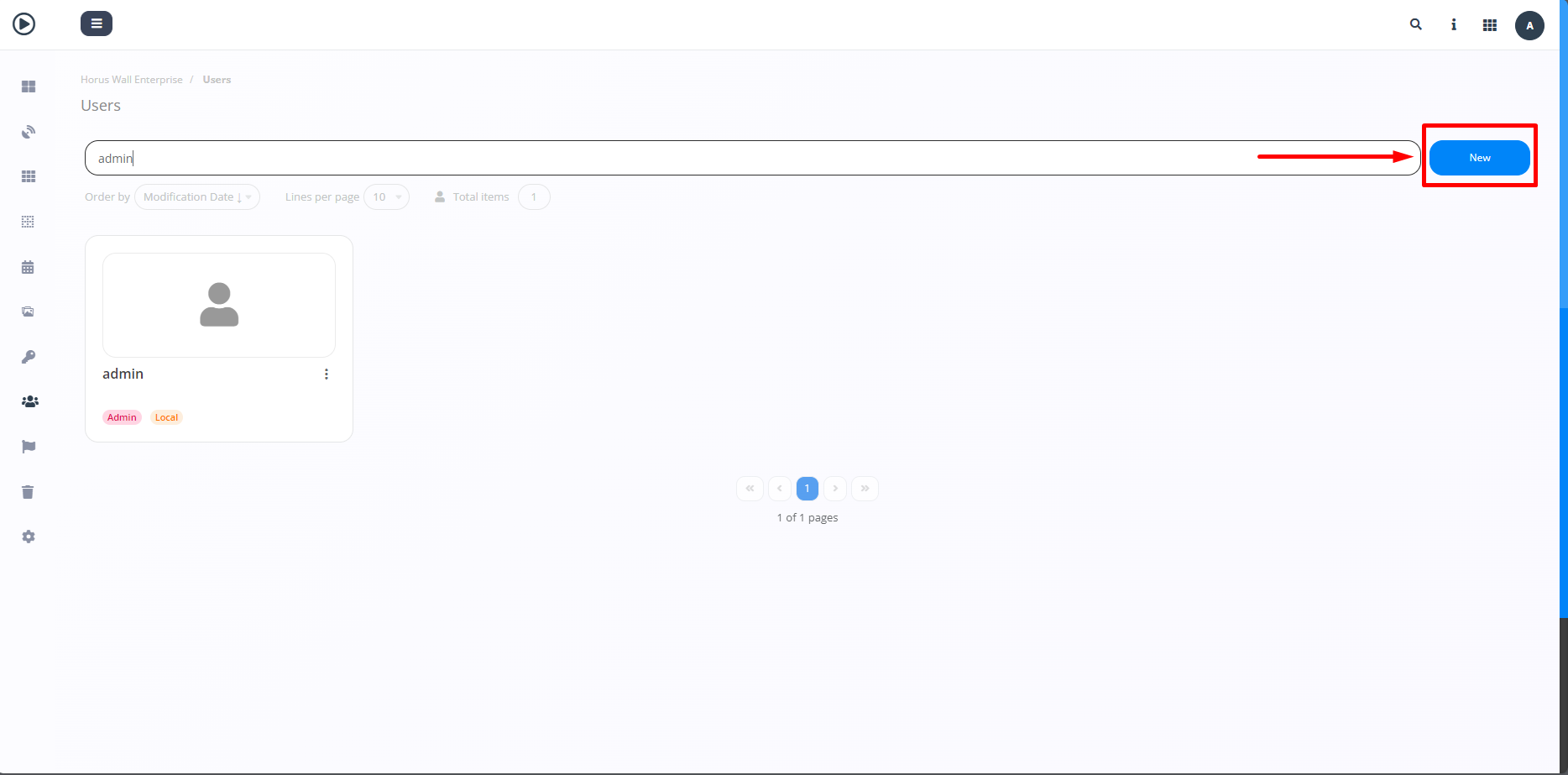
By clicking the button, you will be able to add a new user. You can configure the user’s data according to your preference by entering a name, email, and selecting a user profile to include in the new user's registration. After filling in the necessary information, click "Registration."
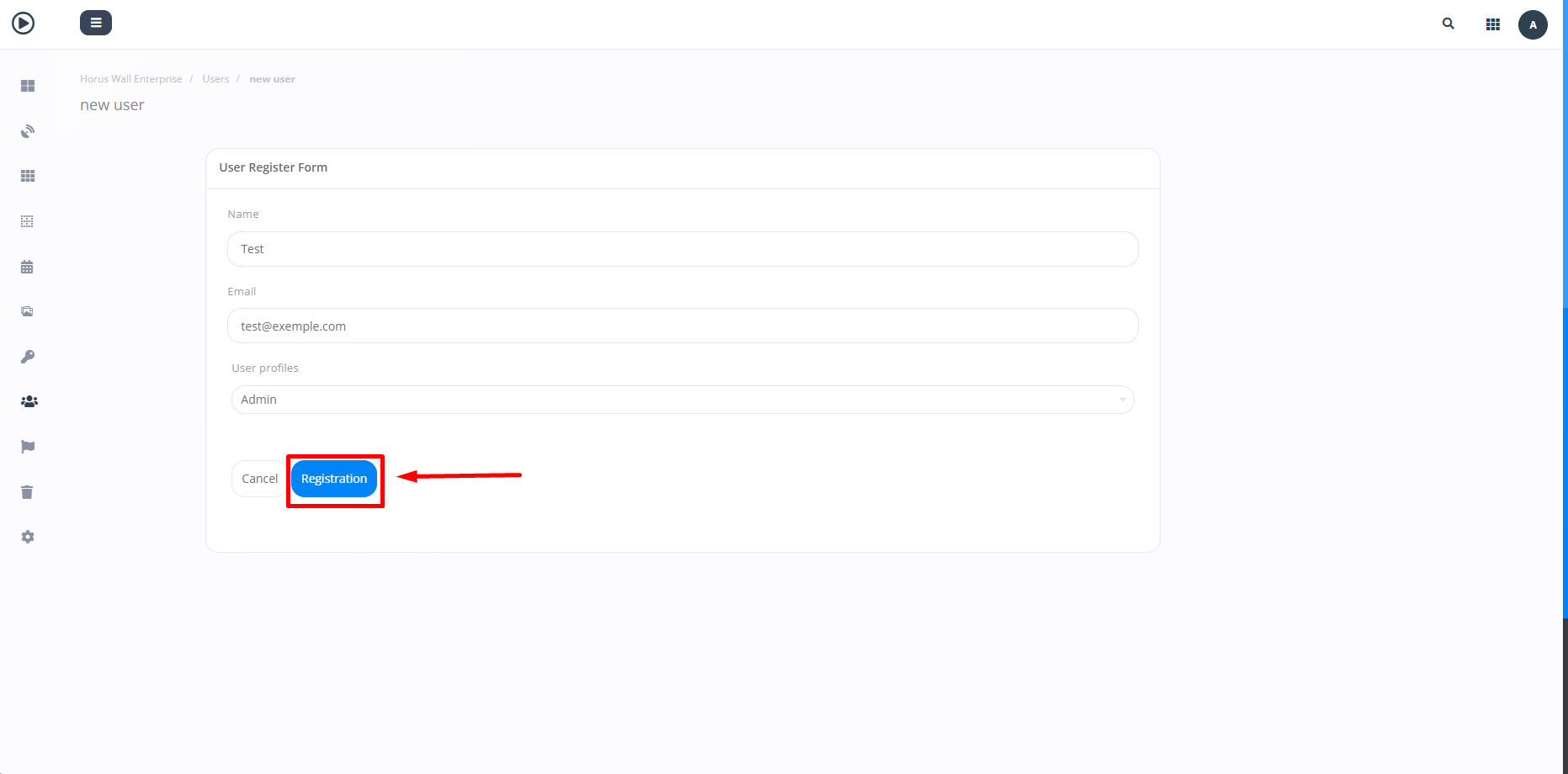
After clicking "Registration," the user will be created with the provided data.
