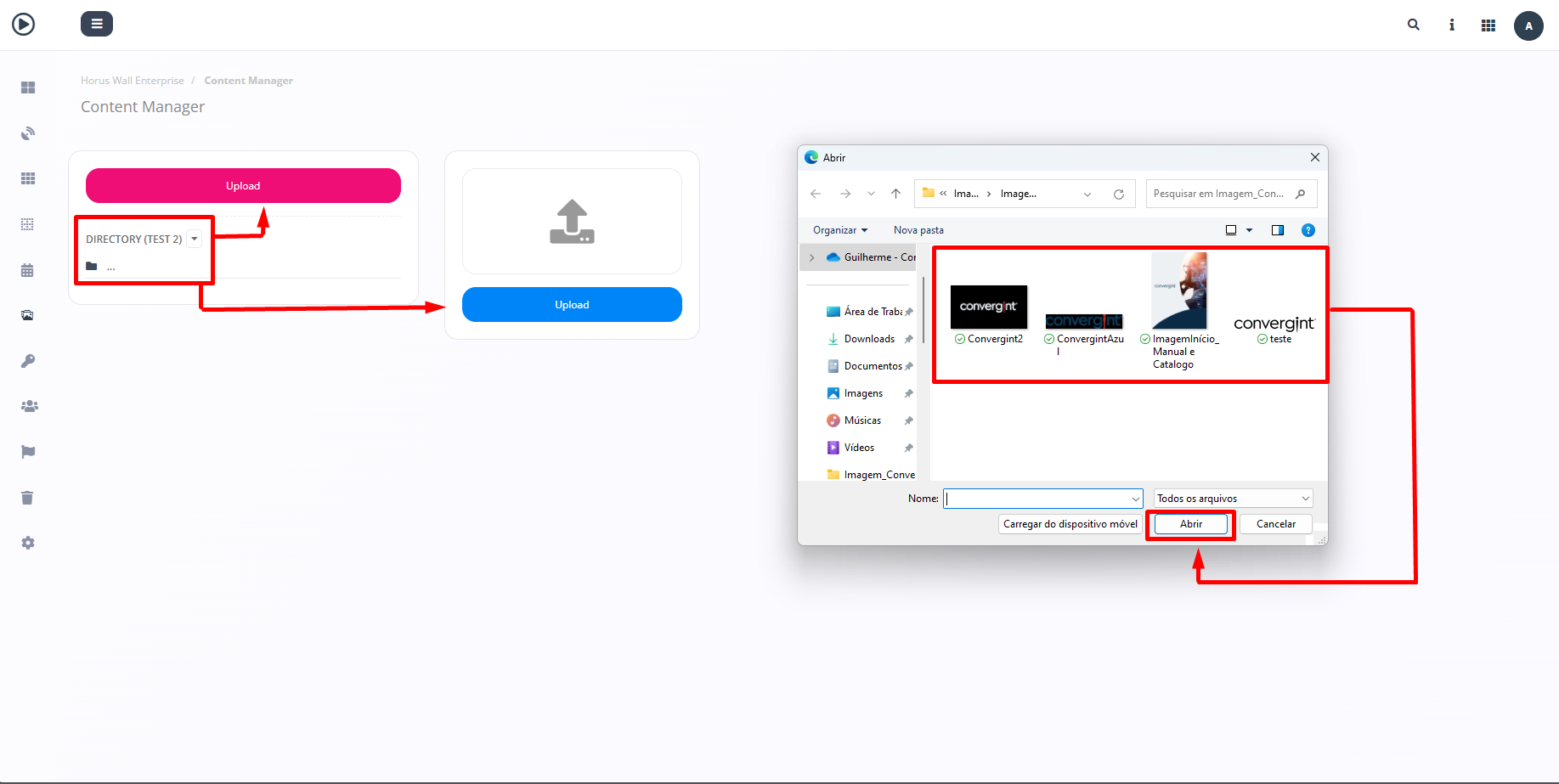
Creating and Adding Files to the Directory
By following the steps described above, the file will be transferred. To create a directory in Horus Wall Enterprise, click on "+Add" in the "Contents" tab. This feature allows you to store the transferred file in a specific location, making it easier to organize and subsequently add files to the slides, which will be inside the directory.
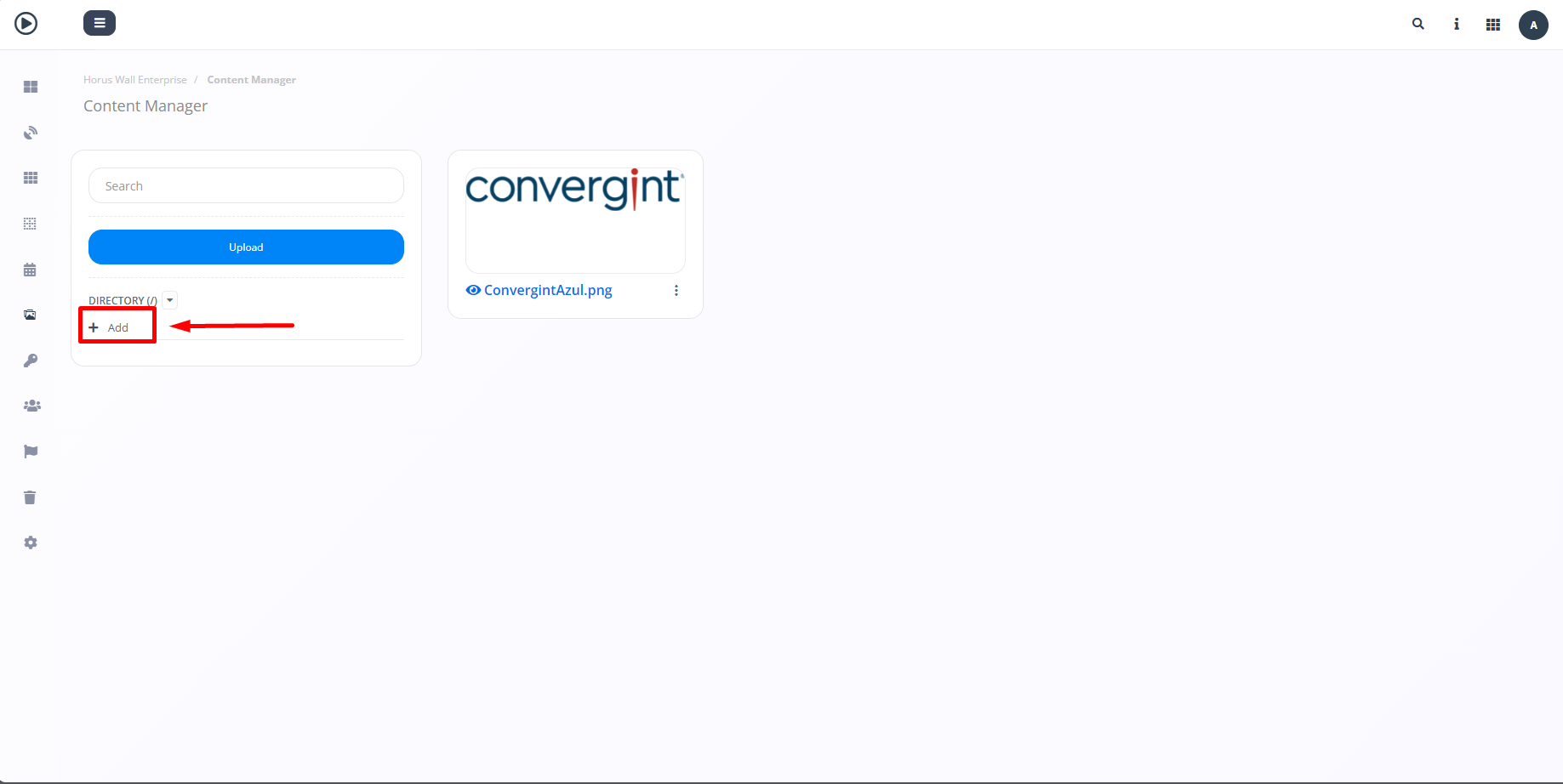
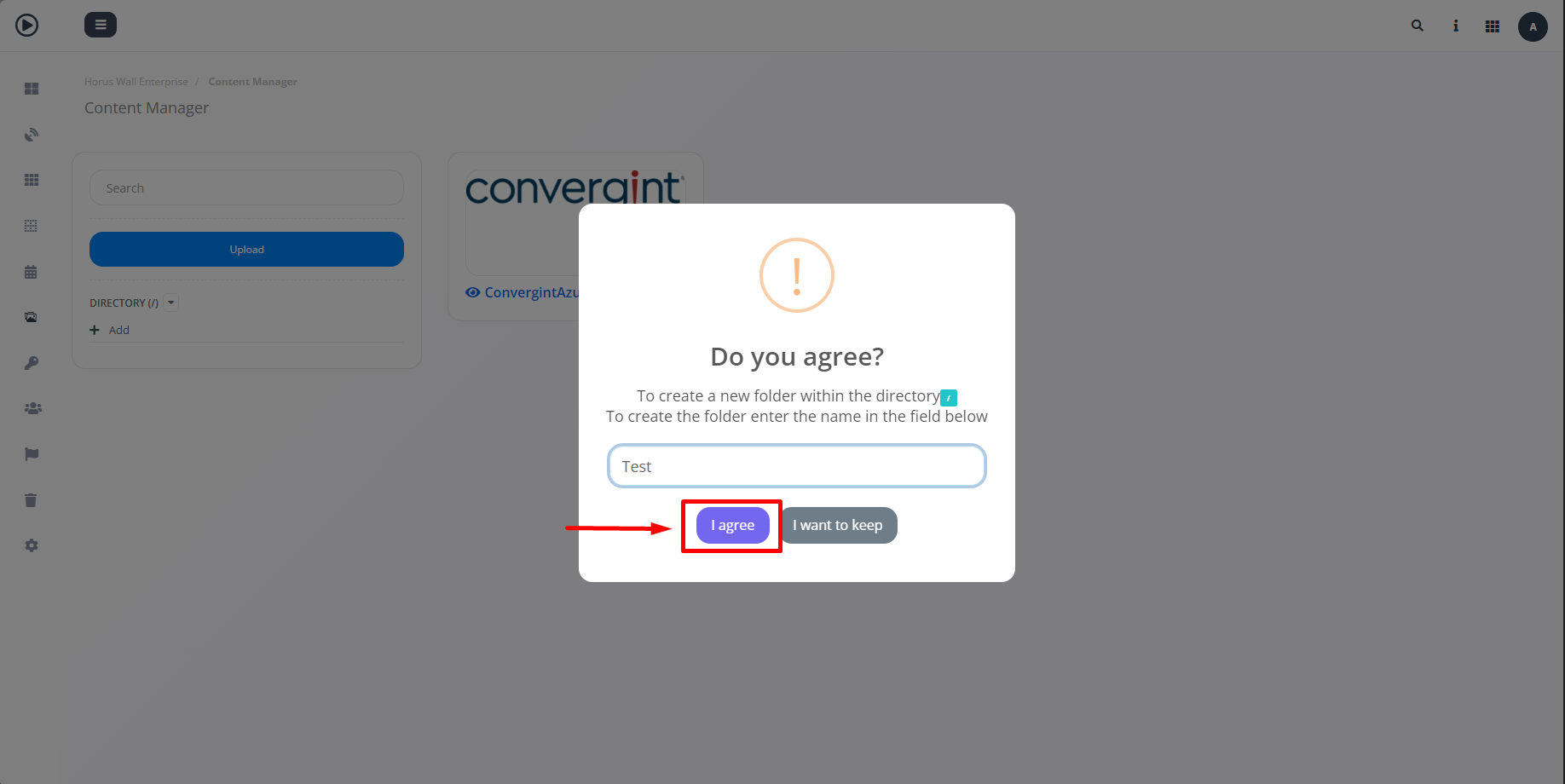
After clicking on "+Add", marked in the image above, a pop-up will appear asking you to enter a name for the directory so that it can be created. Once you have entered a name, click "I agree" to confirm.
Following the previous step, the directory will be created. To add files to this directory, you will need to access the previously created directory and upload the desired file (highlighted).