Removing a Directory
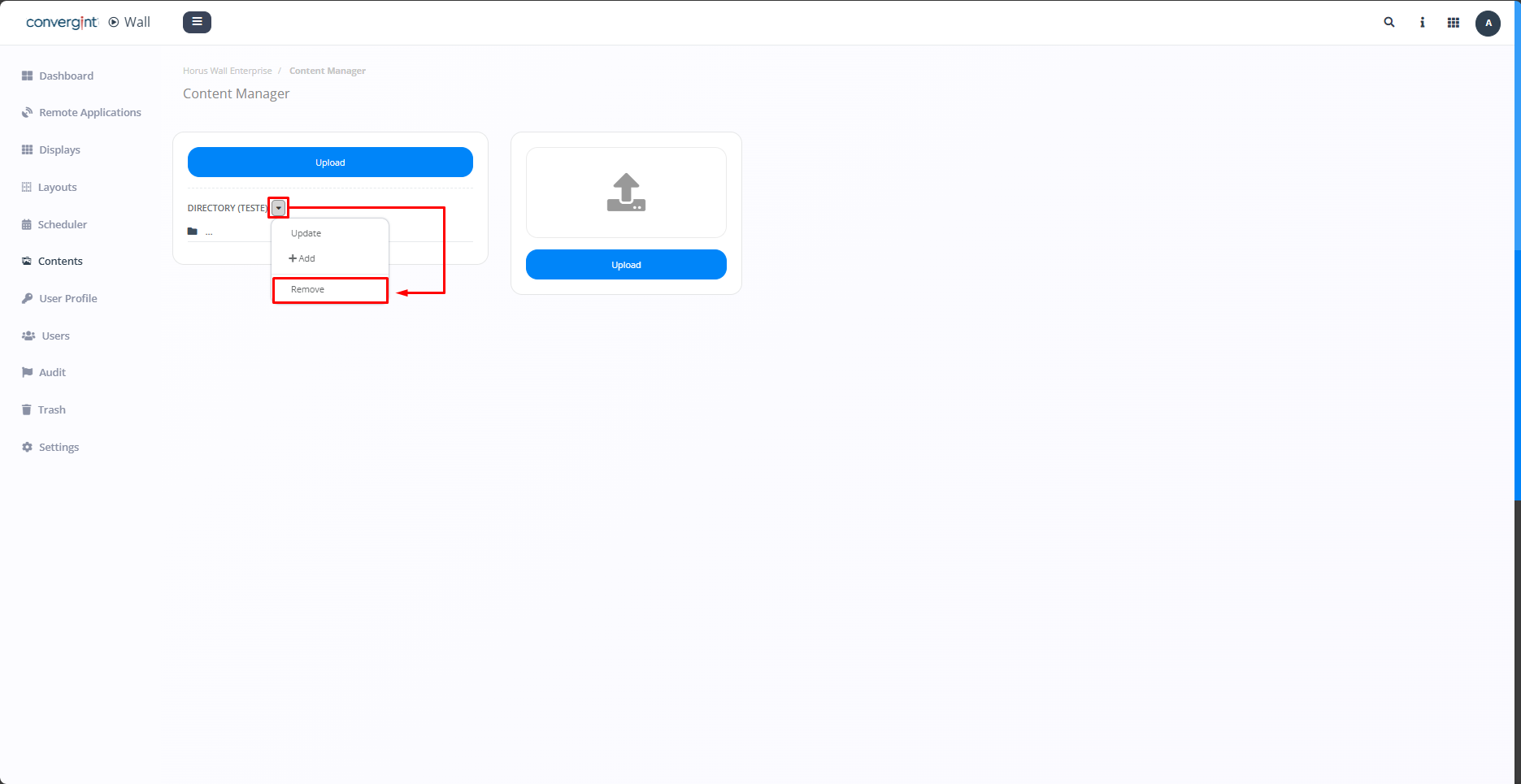
By following the steps described above, the directory will be created. To remove a directory, go to the directory you want to remove and click on the more options button (highlighted). Then click on "Remove" to remove a directory as required.
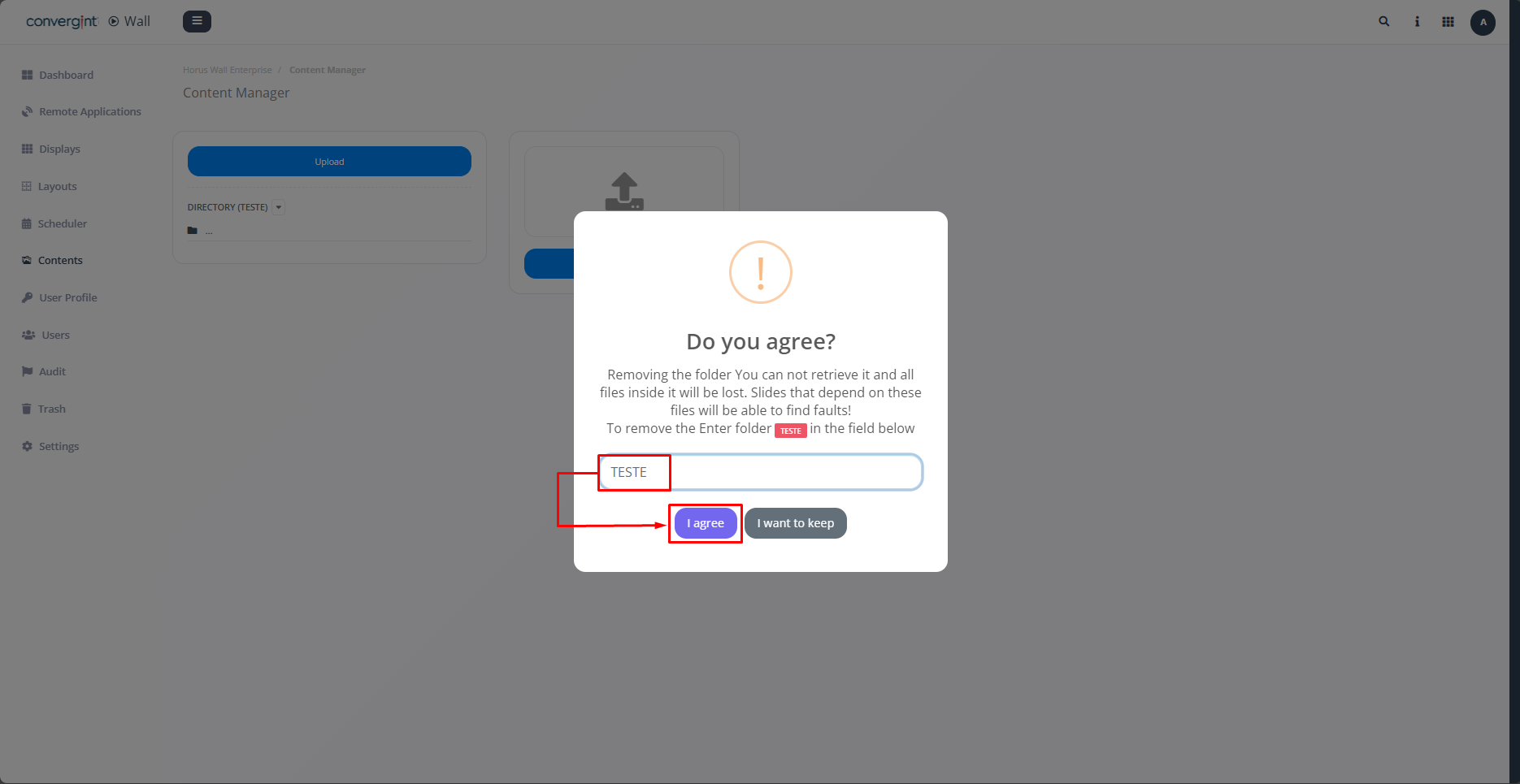
When you click on "Remove", the system will display a pop-up asking you to confirm that you want to remove the directory, so you need to enter the name of the directory in the field indicated and then click on "I agree."