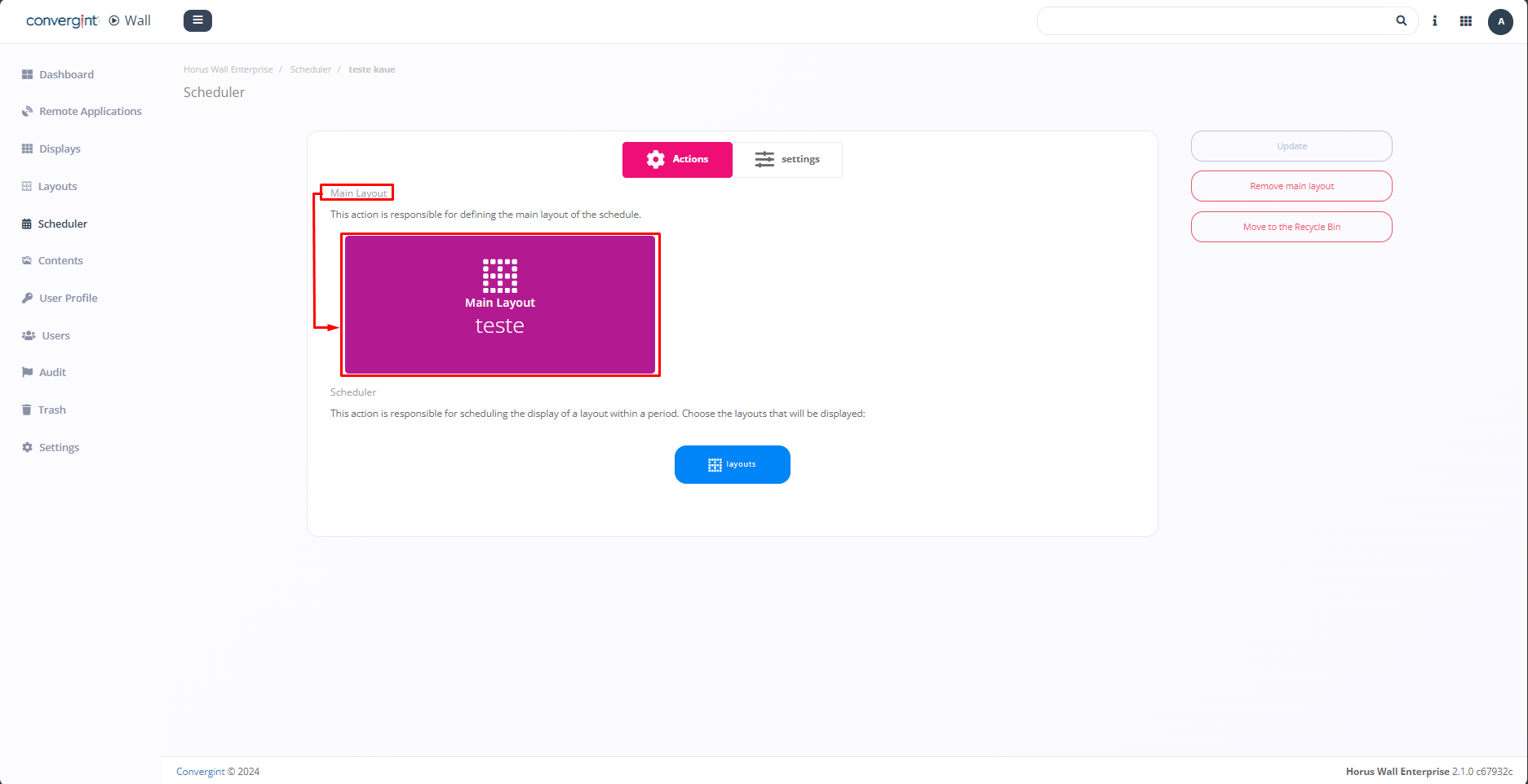
Main Layout
By selecting the "Layouts" button linked to the main Layout, you can include a layout of your choice. This will allow the continuous display of one or more components belonging to the added layout until a layout is scheduled in the "Scheduler." In other words, the layout added to the "main layout" space will be displayed until the scheduled programming in the "Scheduler" begins, and after the end of that programming, the main layout will be displayed again.
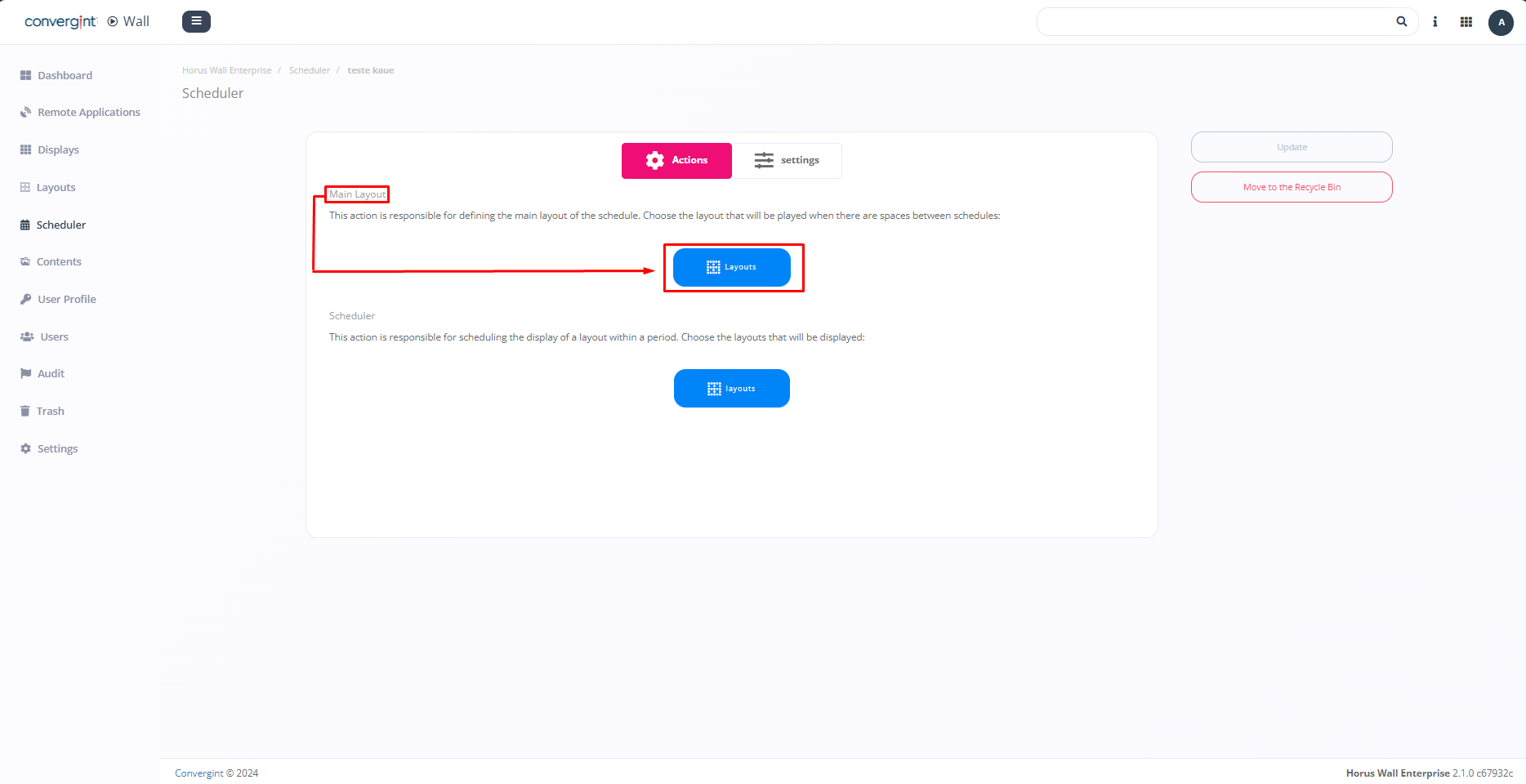
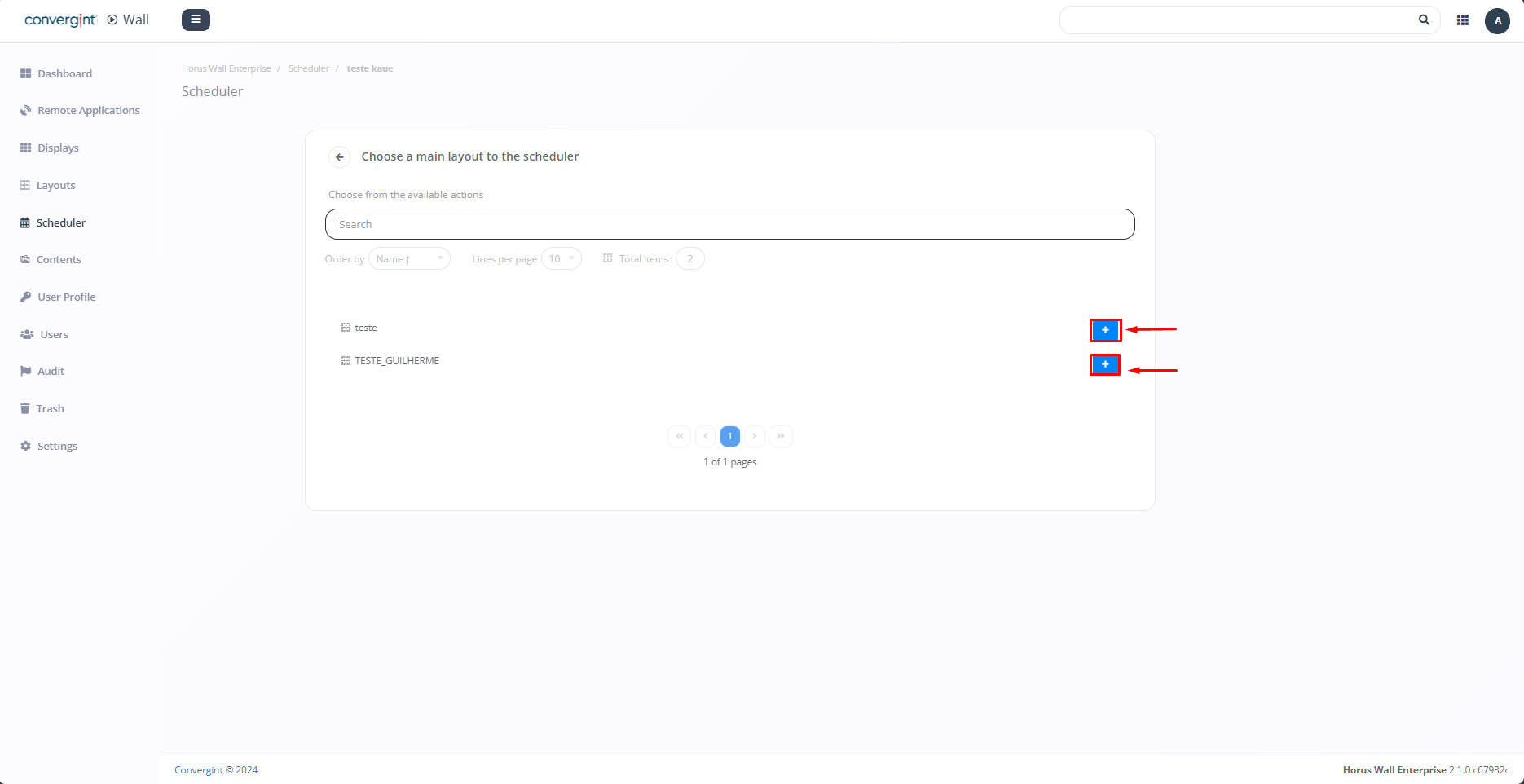
By clicking on "Layouts" marked in the image above, you will need to click the addition icon (highlighted) associated with the desired layout. This layout should contain the necessary content to be configured as the main layout, according to your preference.
After selecting, the chosen layout will be added to the scheduler as a main layout (highlighted).